

English
Walkie-talkie Knowledge: Common Troubleshooting Methods for Walkie-talkies
2018-09-25


In recent years, the use of walkie-talkies has been steadily increasing across various industries in China, with widespread adoption among professional users in public security, armed police, and forestry, as well as in construction sites, property management, security services, and among civilian hobbyists. Based on my over a decade of repair experience, I will provide a brief overview of common malfunctions and proper usage for walkie-talkie users.
I. Antenna: The antenna is the most crucial component for transmitting and receiving signals. Any antenna malfunction will significantly impact communication effectiveness. Users often hold the antenna to manipulate the entire walkie-talkie, and some even swing the device by the antenna. Since the antenna connector is the entry and exit point for high-frequency transmission and reception, often using professional TNC, BNC, SMA, etc., interfaces, the antenna's mechanical strength is compromised over time, leading to peeling of the antenna's outer covering, breakage of the antenna pin, or reduction of the contact area of the antenna pin. In severe cases, this can cause the connection between the antenna pin and the circuit board to become loose. This increases the standing wave ratio during transmission. For machines with poor protection measures, continuous operation can lead to damage of the power tube, amplifier module, or power resistor. Users typically only seek repairs when they can no longer receive or transmit. It is recommended to use the device correctly, regularly check the connection between the antenna and the antenna connector for reliability, the presence of blackening or dirt, and any damage to the antenna's appearance. If damaged, replace with the same model antenna and connector.
II. Battery: The battery provides power to the entire device. Because walkie-talkies draw significant current during transmission, disposable alkaline batteries are rarely used. Most walkie-talkies use rechargeable nickel-cadmium, nickel-metal hydride, or lithium-ion batteries. Many users report that the battery life is insufficient, with the battery draining quickly after a full charge. Besides the use of inferior battery cells by some vendors, proper usage significantly extends battery life and lifespan. Investigations reveal that some users charge the battery for a short time before use without a regular charging and discharging cycle. Due to the memory effect of nickel-cadmium batteries, this can lead to incomplete charging. Some users leave the device with the battery on the charger for extended periods. Many simple chargers lack a full-charge indicator and protection circuit, leading to overcharging and eventual battery failure. Users of lithium-ion batteries typically have professional chargers, but it's recommended to fully discharge the battery before recharging. Although lithium batteries lack the memory effect, their capacity significantly decreases after 200 to 300 charge-discharge cycles.
Additionally, some devices, due to different usage environments or battery quality issues, may experience leakage. This can cause oxidation and corrosion of the machine and battery contacts, leading to poor contact and, in severe cases, failure to power on. This is usually visible on the surface. Minor cases can be cleaned with a blade; severely corroded batteries and machines should be replaced or repaired.
III. PTT (Push-to-Talk) Button: The PTT button is the most frequently used component. Repairs often involve replacing the aged or damaged outer rubber of the PTT button, which can affect normal use. Sometimes, the button itself may malfunction due to poor contact with the circuit board. When repairing, it's best to use the same model component as the original.
IV. Power Switch, Noise Potentiometer, and Step Potentiometer: The power switch in a walkie-talkie is usually integrated with the volume potentiometer. Some low-end devices have problematic components, allowing power switching but with volume adjustment issues. Replacing with a good quality, same model component is recommended. The noise potentiometer is adjusted less frequently but needs to be set to a specific position. Some users fix it with glue to avoid adjusting it, creating future repair difficulties. The step potentiometer is used for channel switching and manual programming. A good potentiometer has a clear step-by-step feel without smoothness. Drops can damage the potentiometer shaft, preventing channel changes and programming, requiring replacement. Some devices use push-button switches. Over time, the conductivity of these switches can change, causing the device to fail to power on or requiring multiple presses to power on. Cleaning the keyboard and circuit board should be considered during repair.
V. Conductive Keyboard: Most walkie-talkies have DTMF keyboards and programming buttons. Repairs often involve cleaning or replacing damaged, oily, loose, or rodent-damaged keys.
VI. Speaker: The speaker is a crucial component for receiving audio. Some users keep the volume at maximum, which can burn out the speaker if the audio amplifier and speaker are not well-matched. In some environments, the speaker volume may decrease over time due to iron particles accumulating on the speaker diaphragm. Cleaning the iron particles usually restores the sound.
VII. Audio Components (Earpiece): Some users use external accessories like earphones. The audio jack, usually connected via a dedicated plug and socket, can develop poor contact or loose solder over time, causing poor reception or transmission. Replacing the socket is recommended.
VIII. Belt Clip: The belt clip is an essential accessory, usually secured with screws. Users may experience screw loss. Some users replace them with any screw regardless of length or use self-tapping screws. If the screw hole on the back of the device is a through-hole, an overly long screw can damage the circuit board, potentially ruining the device. The belt clip usually indicates the screw size; use the correct screws.
The above mainly covers external and mechanical malfunctions. Common mechanical failures include drops. Drops can cause the device to fail to power on, transmit but not receive, or reduce reception range. Inspect the device for damage, especially the LCD screen. A damaged LCD usually requires replacement with the same model. If the device fails to power on after a drop (usually with a power-on sound), check the power supply, CPU crystal voltage, and oscillation using an oscilloscope. If it doesn't oscillate, the crystal is likely damaged and needs replacement. Similarly, for reception failures, check the intermediate frequency crystal and related filters in the receiving channel. For water damage, immediately turn off the device, remove the battery, wipe it dry with a cloth, and use a hairdryer. Severe cases require professional disassembly. Water damage has a low repair rate and high failure rate.
Related Info
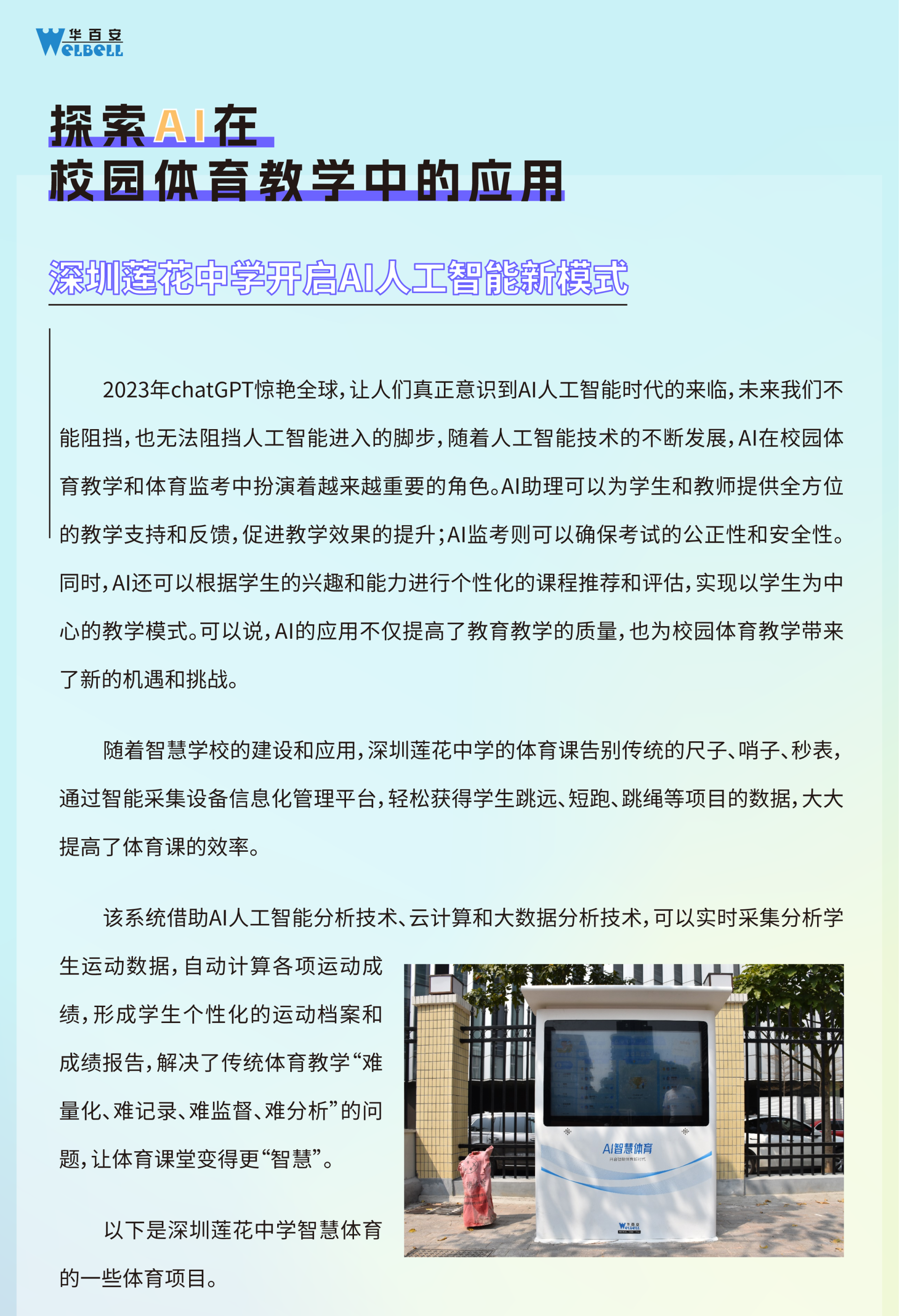
Welbell | AI Smart Sports Management System
2023-11-24


Welbell | Smart Campus Management Solution!
2020-03-26








Follow WeChat Official Account
Leave a Message
Customer-centric, thinking what customers think, allowing customers to get satisfactory and high-quality service more quickly.