

English
Welbell Smart Cloud Access Control Host Installation and Use Manual (1)
2019-08-30


Current Video access control The construction of video access control systems is accelerating, with many security companies investing and offering unique solutions to help build "video access control projects" in various regions. The Welbell video access control system is easy to install and use, stable in function, and can effectively collect various types of information, strengthening the management of transient populations. To a large extent, it improves the public safety video image transmission network, video information sharing platform, and security management system, promoting complementary points, network interconnection, and platform interoperability, maximizing the networking and sharing of video image resources in public areas. Since its launch, Welbell has established strategic partnerships with public security departments or operators in many cities across the country, with products deployed in Xinjiang, Yunnan, Guangxi, Shenzhen, Dongguan, Guangzhou, and other regions, receiving consistent praise from customers and users.
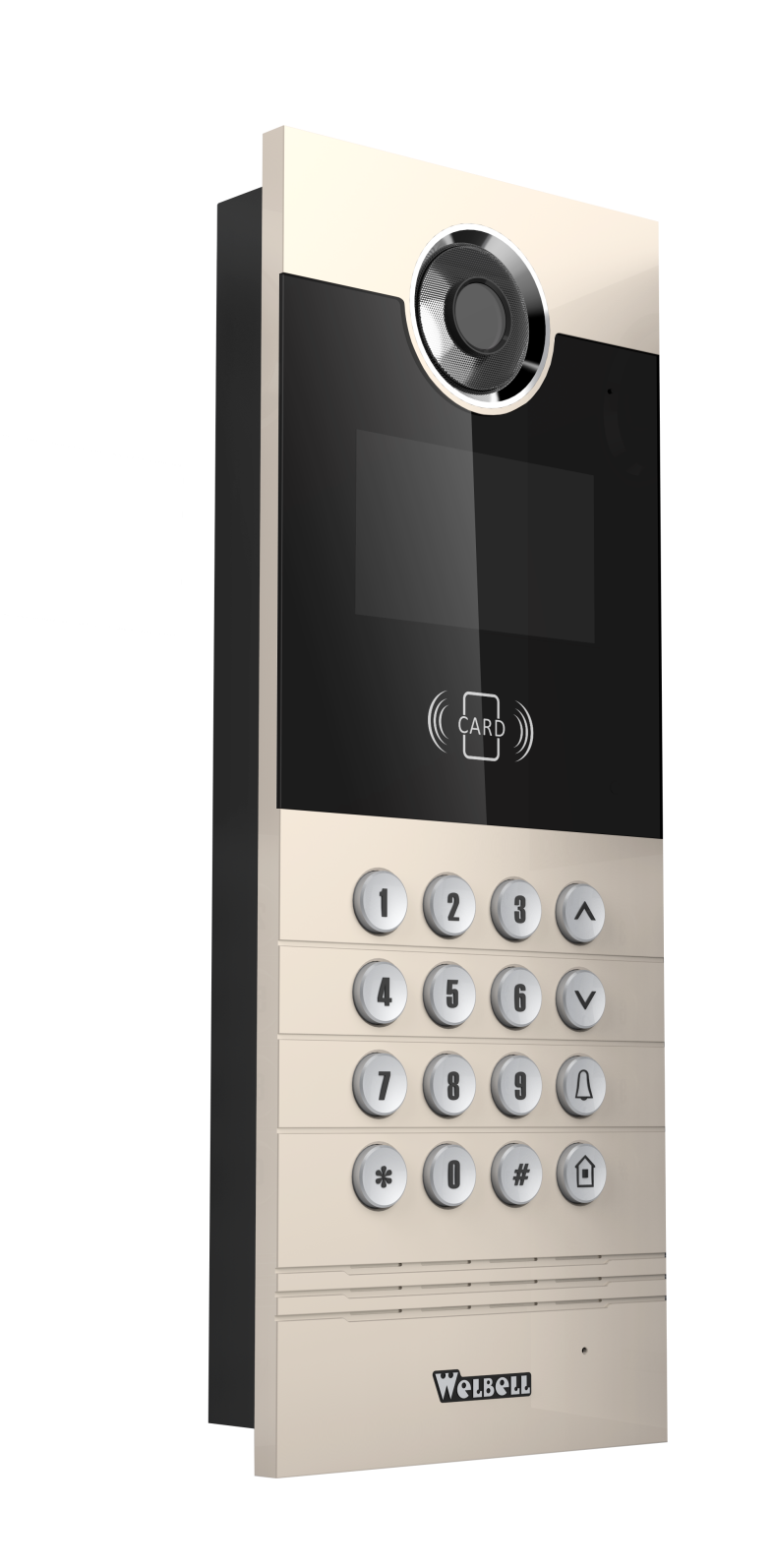
Video access control system The core hardware of the system is the intelligent cloud access control host. As the installation area and scope of the intelligent cloud access control host continues to expand, and the number of users continues to grow, we are launching a comprehensive guide to the installation and use of the intelligent cloud access control host at the request of our valued customers.
Regarding the most common network issues
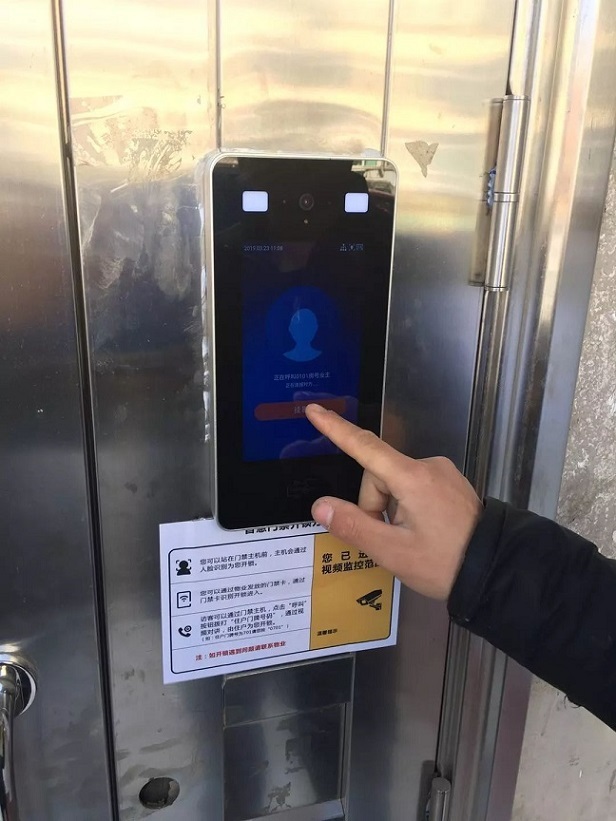
Our intelligent cloud access control host requires a dedicated broadband connection and should not share network usage with other network devices. If conditions permit, it is best to separate the LAN segment as well. When the device indicates that the network is unavailable, please check if the network icon in the upper right corner of the device is disconnected and if the device's default time is correct. If everything is normal, please contact our professional personnel for assistance.
Note: Due to restrictions from regional network operators, when the number of devices exceeds 30, you must communicate with the local operator to install a commercial broadband connection without connection limits.

Pre-installation preparation
1. What preparations are needed before installing the intelligent cloud access control host?
Answer:
1) Set up the network using a dedicated broadband connection, and do not share network usage with other network devices; ;
2) Ensure that the door lock at the host installation location is functioning correctly and is an electric lock;
3) Ensure that the power supply at the host installation location is available. Our intelligent cloud access control host uses a 12V/5A power supply and comes with a power adapter that can connect to a 220V household power supply.
2. Installation location of the intelligent cloud access control host?
Answer: This depends on the on-site environment. It can be installed on the door or on the wall next to the door. The principle is to avoid bumping into the access control host when opening and closing the door.
3. How to connect the lock to the intelligent cloud access control host?
Answer: The control line of the access control host should be connected to the door opening button as much as possible. This simplifies installation and facilitates troubleshooting in the future.
4. What kind of installation environment does the intelligent cloud access control host require?
Answer:
1) Keep it away from rain as much as possible. If it cannot be kept away from rain, a rain cover must be added;
2) Install it in a place with good lighting and streetlights at night, but avoid installing it in backlight.
5. Installation height of the intelligent cloud access control host?
Answer: Use the camera as a standard. The optimal position is approximately 1.6 meters above the ground.
6. What are the network bandwidth requirements for the intelligent cloud access control host?
Answer: An average of 1M bandwidth per device.
Related Info
Welbell | AI Smart Sports Management System
2023-11-24
Welbell | Smart Campus Management Solution!
2020-03-26




Follow WeChat Official Account
Leave a Message
Customer-centric, thinking what customers think, allowing customers to get satisfactory and high-quality service more quickly.